
General Motors: Visual Aid Application
Replacing a paper defect-identification process with software now running in every GM assembly plant
Role: Lead (sole) UX/UI Designer — end-to-end from concept through QA
Team: 6 people: 1 designer, 4 developers, 1 project manager
Timeline: 3 months to MVP
Platforms: Web application for production-floor workstations across GM manufacturing
Metrics: Deployed to all 11 GM assembly plants · replaced a paper process, cutting defect logging from ~30 min to ~13 min per record · first shipped product built on the GM Design Library · 1,000+ defect records digitized and archived for analytics in year one

The Challenge
On GM's production floors, identifying defective parts was a paper process. Technicians logged defects by hand as vehicles moved down the line — slow, error-prone, and worst of all, disposable: the data died on the page instead of feeding quality analytics. GM executives wanted the process digitized for two reasons — speed the procedure itself, and capture the defect data for future analysis.
The design constraints were unusual and unforgiving. The primary users — part technicians, line operators, and shift managers — work on a moving assembly line. Every second spent navigating software is a second the line doesn't wait for. The interface had to be learnable with near-zero training, operable at line pace, and familiar enough that a technician mid-shift never had to stop and think about the tool. Secondary users — division executives and data analysts — needed the same records structured for reporting.
I was the sole designer, working with four developers and a project manager, with three months to ship. Early on, the larger scope was deliberately cut to an MVP that would satisfy floor users first and generate real feedback for future development — a scoping decision I helped drive that's the reason it shipped on time.
"The user isn't sitting at a desk — they're standing at a moving assembly line. Every design decision was measured against one question: does this hold up the line?"
Architecture Decisions
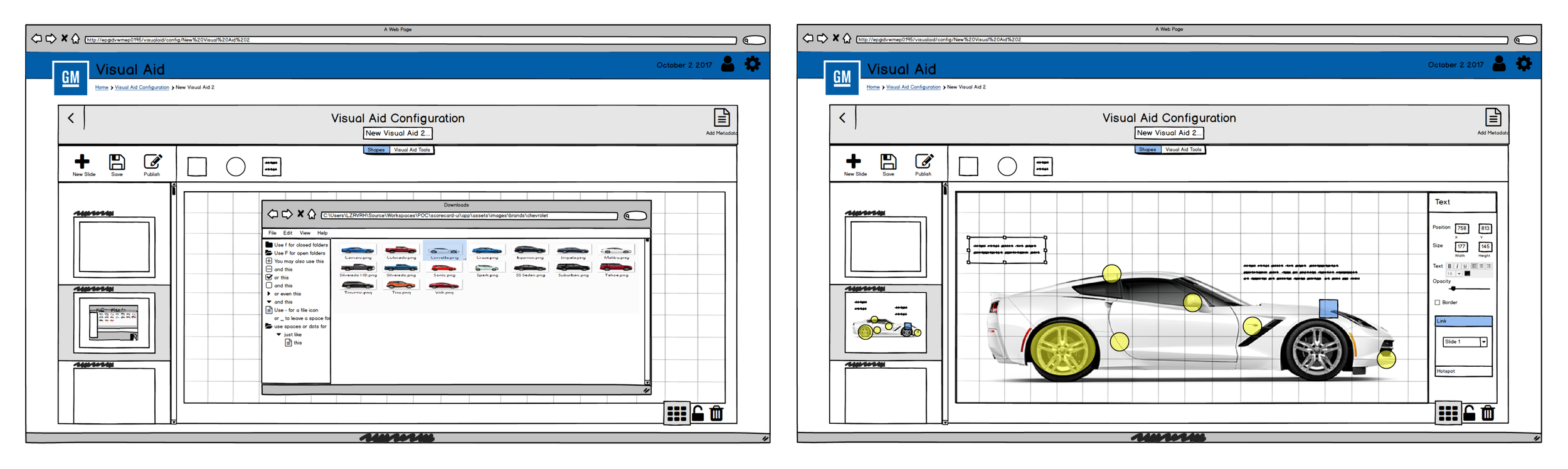
Wireframe fast, validate faster. Stakeholder sessions established the core requirement — intuitive, familiar, fast. I moved straight to low-fidelity Balsamiq wireframes of the two critical paths: vehicle make/model selection and defect recognition. Low fidelity was a deliberate choice: it made business requirements visible in days, let stakeholders correct course before pixels hardened, and gave the four developers an early component inventory to plan against.
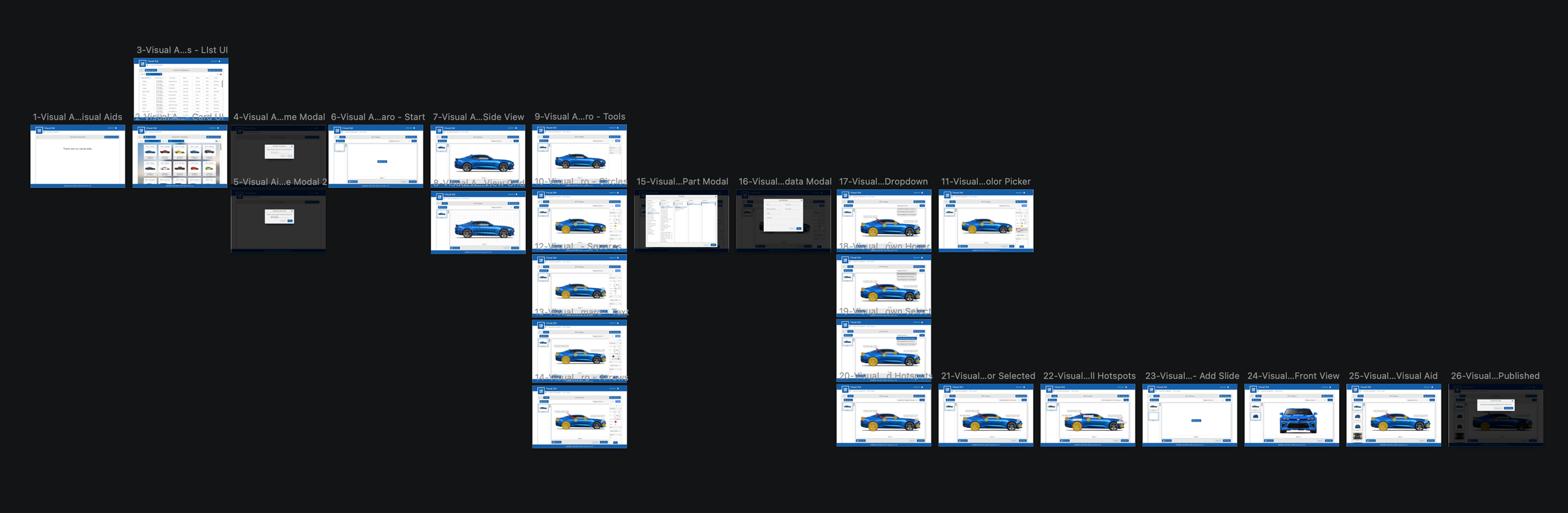
Design the flow, not the screens. The application was mapped as a complete screen flow — 26 screens across selection, defect marking, review, and publishing — so every path a technician could take was resolved before high-fidelity design began.
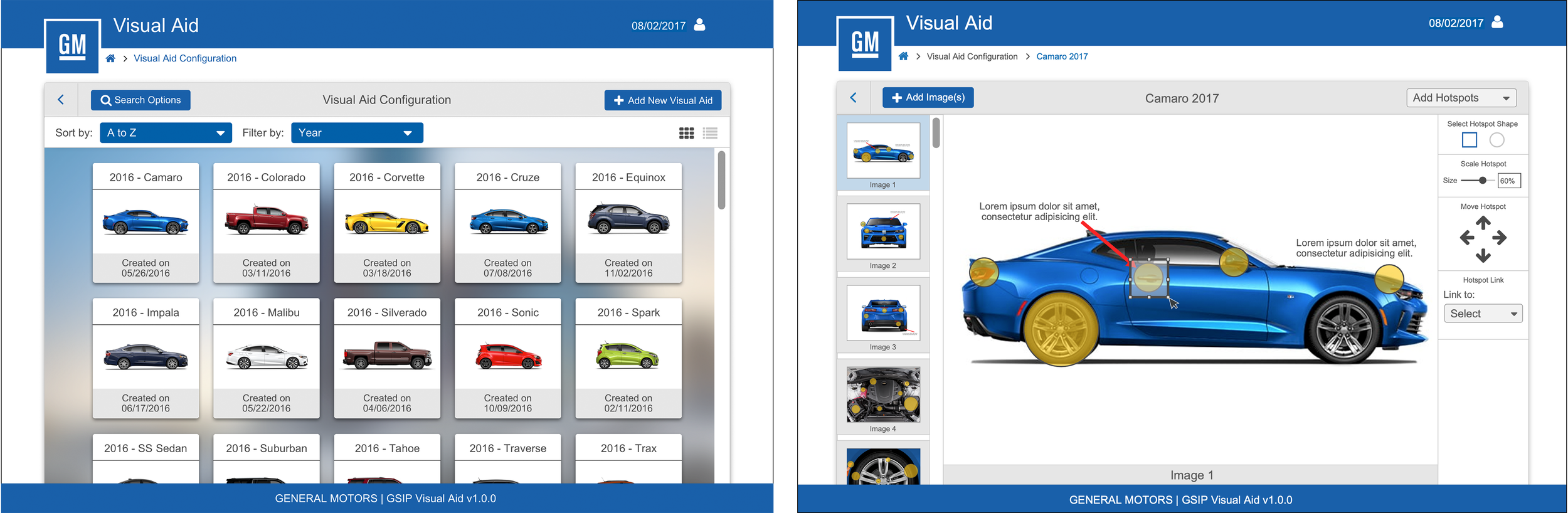
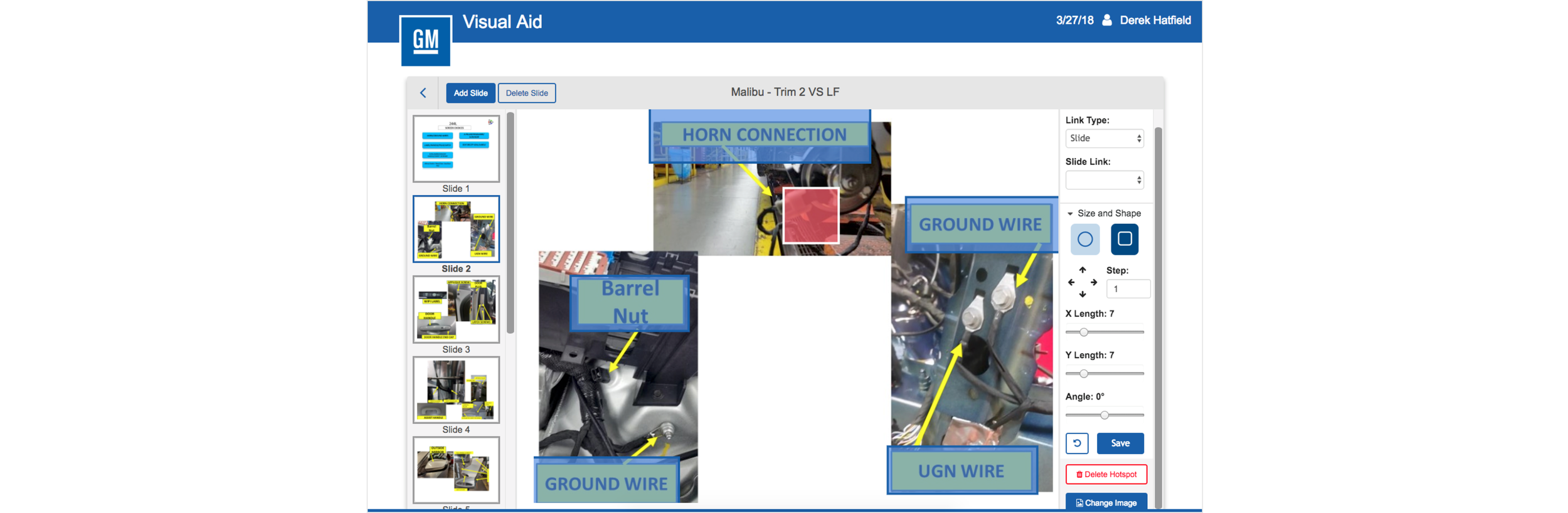
Visual defect marking over form filling. The core interaction replaced handwriting with direct manipulation: technicians select the vehicle, then mark defects as hotspots directly on vehicle imagery — pointing at the problem instead of describing it. Faster to log, unambiguous to read downstream, and inherently structured for the analytics users.
Built on the Design Library. The UI was assembled from the GM Design Library I had built — brand-compliant colors, type, tables, forms, and navigation came from the system rather than being invented per screen. That's a large part of how a sole designer shipped a full enterprise application in three months.
Governance & Adoption
MVP as a governance decision. Cutting to MVP wasn't scope failure; it was the mechanism for shipping inside three months and letting floor feedback — not stakeholder speculation — drive the roadmap.
The system made the team fast. With components, patterns, and standards pre-decided by the Design Library, design reviews with developers were about behavior and edge cases, not button styles.
Designed for its afterlife. The shipped application evolved beyond my delivered designs as real-world floor conditions reshaped it — and it kept working, because the underlying flows and system components held. I'd rather ship a design robust enough to be adapted than a fragile one that's merely faithful.
Measured Outcomes
Reach: deployed and in daily use throughout all 11 GM assembly plants, used to identify and repair defective parts before vehicles leave the plant.
Process speed: defect logging went from 30 minutes on paper to 13 on screen — cutting time per record roughly in half.
Data capture: 1,000+ defect records digitized in the first year, creating the historical dataset the paper process threw away — the foundation for division quality analytics.
Delivery: concept to shipped MVP in 3 months with one designer — evidence of what the Design Library made possible.
Longevity: still in production use ~9 years later.
What I’d Do Now
Start on the floor, not in the conference room. Requirements came through stakeholder meetings; today I'd begin with contextual inquiry on the line — watching technicians log defects on paper — before the first wireframe. The shipped product diverging from my final designs suggests the floor knew things the meetings didn't.
Close the feedback loop I designed for. The MVP was built to generate floor feedback; I'd now formalize that loop — usage analytics on screen paths, defect-logging time per station — and run post-launch iteration against it rather than handing off at delivery.
Contribute patterns back to the system. Visual Aid produced novel patterns (image hotspot marking, line-pace navigation) that lived only in this app. Today those would flow back into the Design Library as documented components — the system should learn from every product built on it.
Design for the hardware reality. Production floors mean gloves, glare, and shared workstations. I'd now spec touch targets, contrast, and session handling against those conditions explicitly rather than inheriting desktop defaults.